Contact Widget Hub
A WordPress plugin for multichannel contact (WhatsApp, tickets, live chat) with no external services.
- Stack
- PHP, WordPress, JavaScript
- Area
- Web
Where we started
On WordPress sites the contact box is usually built with services like Tawk.to or OpenWidget. They work, but conversations go through their servers, you need an account, and the useful features are often in the paid plans. For a site that collects customer data, it’s also one more provider to name in the privacy notice.
We wanted an alternative that ran entirely on the client’s site, with no limits on features and with the data staying on their server.
What we did
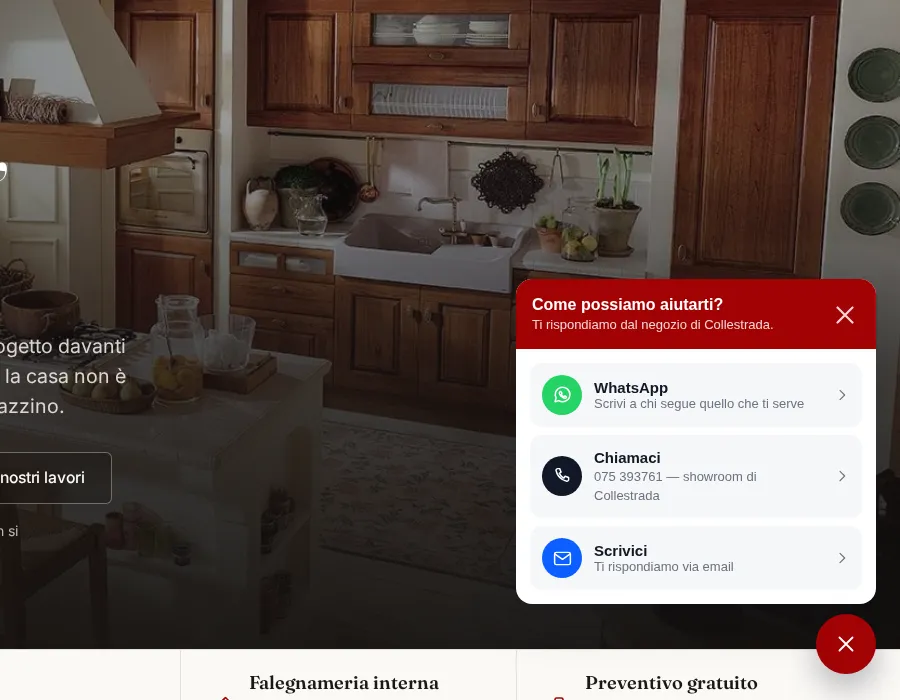
We wrote a WordPress plugin that brings every contact channel together in a single box. You set it up from the WordPress dashboard and it calls no external services.
The box can appear in any of seven corners and edges of the screen, inside a section of the page with a shortcode or an editor block, or opened by any button. For each box you decide where to show it: on which pages, on which devices, to which users and at what times. Outside opening hours you can hide it or show a notice with the time you’ll be available again.
Live chat only appears when an operator has switched on “I’m online”. If they close the tab, the chat stops being offered shortly afterwards, so nobody writes into the void. If nobody replies within 5 minutes, the conversation is forwarded by email with the transcript.
For spam protection we don’t use captchas: an invisible honeypot field, a check on how long the form took to fill in and a request limit. Conversations older than 90 days delete themselves, and you can change that threshold.
With four sites to look after, though, that meant four places to change a phone number. So the settings moved to the business platform: WordPress keeps a small plugin that loads one line of script, and channels, hours, rules and enquiries are managed from a single panel for every site.
How it’s built
- WhatsApp with several numbers, each with a name, photo, role and hours
- Email tickets with a notification to the team and an automatic confirmation to the customer
- Live chat with an operator panel, unread message counter and conversation pick-up
- Display rules by page, device, user and time, with exceptions
- Events for Google Tag Manager, with no third-party scripts
- Status page that checks tables, email sending and settings
- Automated PHP code checks to run after every change
Outcome
The sites have a complete contact box with no subscriptions and no data leaving the server. What we learned from the plugin became the business platform’s Widget module, which now runs the contact boxes of every connected site from one place.